When a concrete block machine stops in the middle of a cycle, the problem is rarely “the machine is bad” in a simple way. A mid-cycle stop can come from material feeding, pallet position, sensor signal, hydraulic pressure, vibration overload, mould movement, safety protection, or downstream blockage. The right response is not to restart the line again and again. The right response is to read the symptom, locate the section, and remove the cause before it damages products or machine parts.
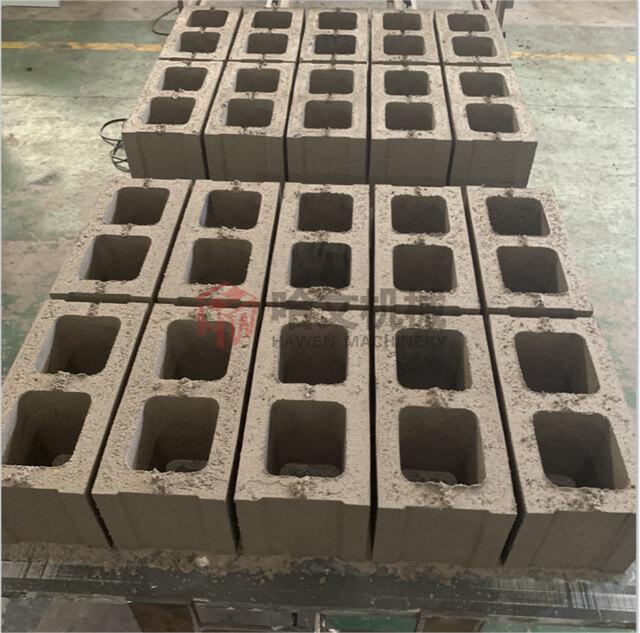
This guide explains why a block machine may stop during production and how a factory team can troubleshoot it in a logical order. It is written for buyers, plant managers, and operators who run hollow blocks, solid bricks, pavers, kerbstones, and other concrete products on an automatic brick machine line.
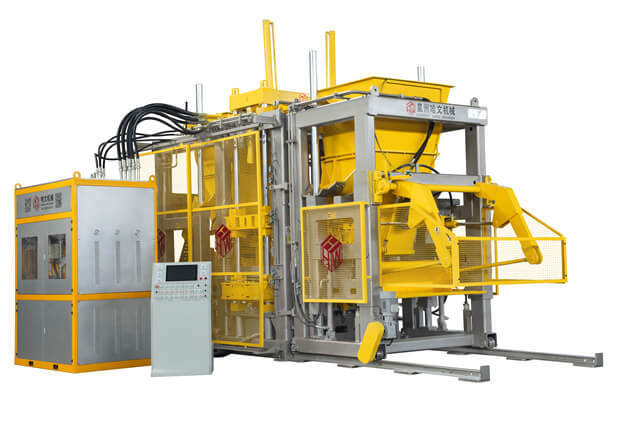
Identify the Stop Before Changing Settings
Start with the stop position
The first question is simple: where did the block making machine stop? A stop during material feeding is different from a stop during vibration, pressing, demoulding, pallet pushing, or stacking. If the operator only says “the machine stopped,” the maintenance team may waste time checking the wrong section.
Record the exact machine position, alarm message, product condition, and last movement before the stop. Check whether the pallet is in position, whether the material box reached its endpoint, whether the mould frame moved fully, and whether the fresh blocks were released cleanly. A good troubleshooting habit turns a vague fault into a smaller technical area.
Operator note: Do not repeatedly press reset before checking the cause. If a sensor, mould guide, or hydraulic movement is already abnormal, repeated restarting can create more serious mechanical damage.
| Stop position | Common area to check | First practical action |
|---|
| Before feeding | Pallet position, material level, safety door, sensor signal | Confirm pallet alignment and alarm display |
| During feeding | Material box, scraper, guide rail, moisture, aggregate size | Check whether material bridges or blocks the movement |
| During vibration | Motor load, vibration box, fasteners, material filling | Check overload alarm and abnormal noise |
| During demoulding | Hydraulic pressure, mould wear, product sticking, pallet flatness | Inspect product release and mould movement |
| After demoulding | Pallet transfer, stacker, cuber, curing route | Check downstream blockage before restarting |
Pallet position and product transfer faults
A pallet position fault is one of the most common reasons for a brick making machine to stop. If the pallet is not fully in place, the machine should not continue feeding, pressing, or demoulding. This protection prevents fresh blocks from being formed on a misaligned board.
Check pallet size, surface flatness, guide rails, pushers, rollers, chains, and proximity sensors. A warped pallet can trigger inconsistent positioning. A damaged guide can shift the pallet slightly. Dust buildup may also weaken sensor detection. In many cases, the fault is mechanical before it becomes electrical.
A stable GMT pallet can help maintain support during production when it is correctly matched to the product and machine. For plants with higher automation, an automatic pallet provider should also be inspected because delayed empty-pallet feeding can stop the whole line even when the main machine is healthy.
Material problems can stop a concrete block machine before the operator recognizes them as material problems. If the mix is too wet, it may stick to the feeding box or mould. If it is too dry, it may not fill cavities evenly. Oversized aggregate can jam the material car, scraper, or mould opening.
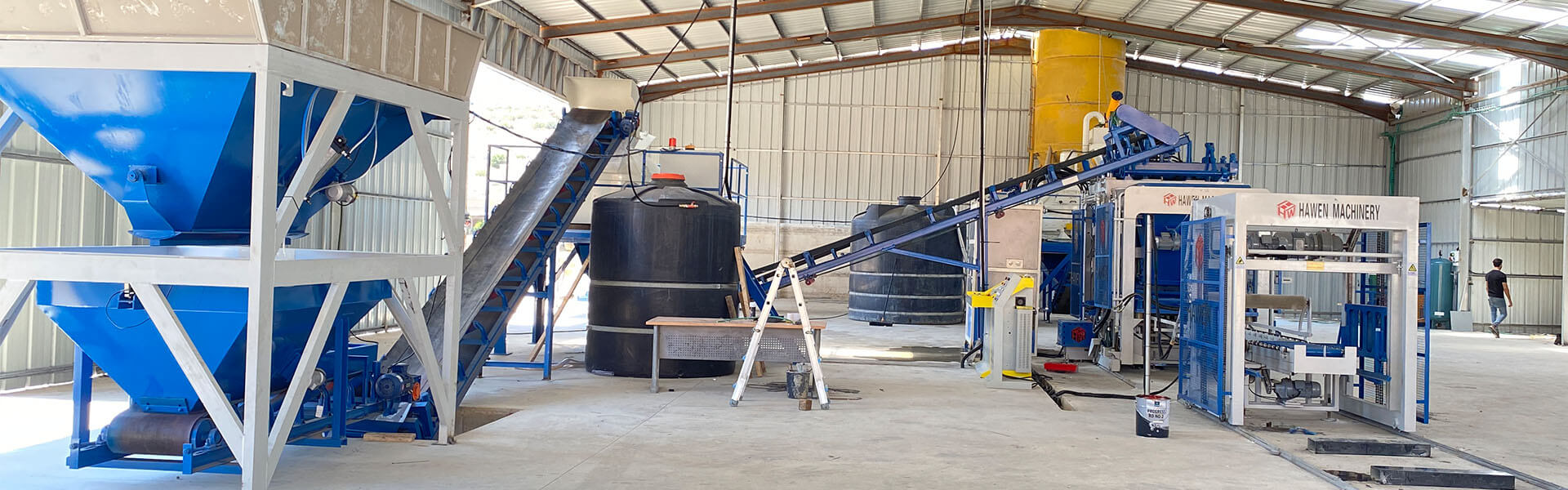
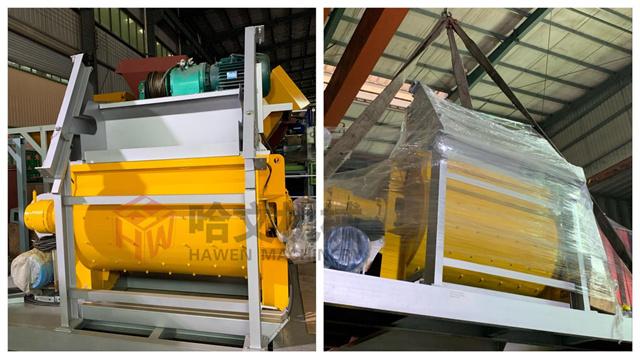
The batching machine in block making should feed stable aggregate proportions. The concrete mixer should produce consistent moisture and cement distribution. If the factory uses face-mix pavers or high-quality surface products, a planetary concrete mixer may improve material uniformity. For larger capacity lines, a twin-shaft concrete mixer can be selected according to batch demand and layout.
Cement feeding also deserves attention. A cement silo in block making with poor discharge control can create inconsistent material. The forming section may stop or produce unstable blocks, even though the visible problem appears near the mould.
Mechanical and Control-System Causes
Hydraulic pressure and cylinder movement
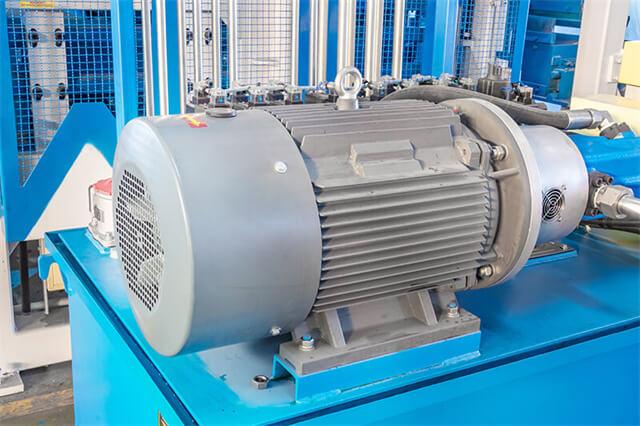
The hydraulic system controls many high-load movements in a block machine, including pressing, lifting, mould movement, and demoulding. If pressure is unstable, oil temperature is abnormal, a valve signal is delayed, or a cylinder does not reach its position, the machine may stop to protect the cycle.
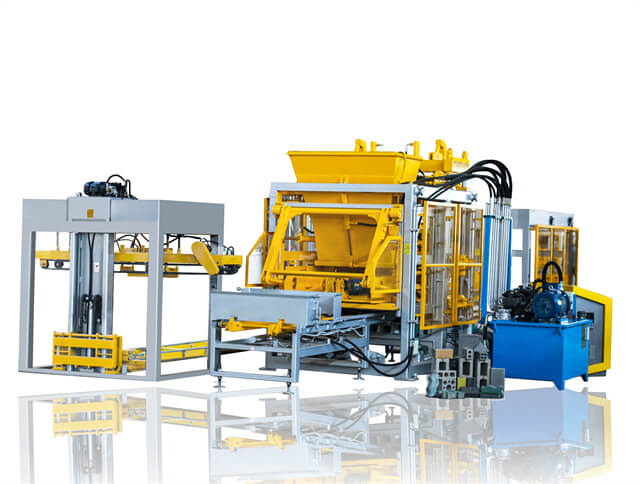
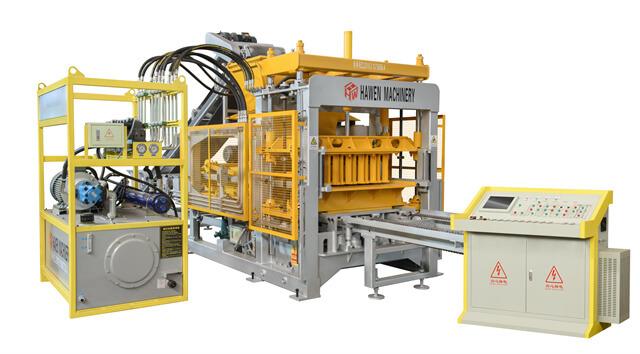
In HAWEN Machinery block machines, the hydraulic station uses Japanese YUKEN proportional and directional valves together with an American ALBERT hydraulic pump. This configuration supports accurate movement and dependable pressure response during repeated production. For troubleshooting, the practical value is clear: pressure behavior, valve response, filtration, and oil cleanliness can be checked in a traceable system.
When a hydraulic stop appears, do not only increase pressure. First check oil level, oil temperature, filters, leakage, cylinder travel, valve signal, and mechanical resistance. Raising pressure without removing the cause may hide the fault briefly, then create larger wear in the mould, guide, or cylinder.
Vibration overload and compaction issues
Vibration-related stops may come from overload protection, loose fasteners, abnormal bearing noise, uneven material filling, or settings that do not match the product. Heavy products such as kerbstones or thick pavers may need different timing and compaction behavior from hollow blocks.
HAWEN Machinery adopts a four-shaft vibration box design with eccentric blocks placed outside the housing. This reduces resistance during vibration, supports uniform compaction, and helps control cement use while improving overall efficiency. If a vibration alarm appears, the operator should check both the machine and the material. Poor feeding can overload vibration because the mould cavities are not filled consistently.
Common checks include vibration motor condition, fastening bolts, bearing noise, belt or coupling condition where applicable, cable connection, and material distribution inside the mould. If the block machine only stops during one product type, compare that product's mould, material recipe, and vibration setting with other products that run normally.
Sensor PLC and control system alarms
Modern automatic block machines stop by logic. The PLC receives signals from sensors, switches, safety devices, motor protection, hydraulic feedback, and downstream equipment. When one required signal is missing, the machine may stop even if the operator cannot see a broken part.
HAWEN Machinery integrates a Siemens S7-200 PLC with an intuitive touch panel and remote monitoring capability. Through this system, real-time operating status can be reviewed, operating parameters can be optimized remotely, and production quality can remain more consistent. For troubleshooting, the touch panel alarm history is often the shortest route to the real fault area.
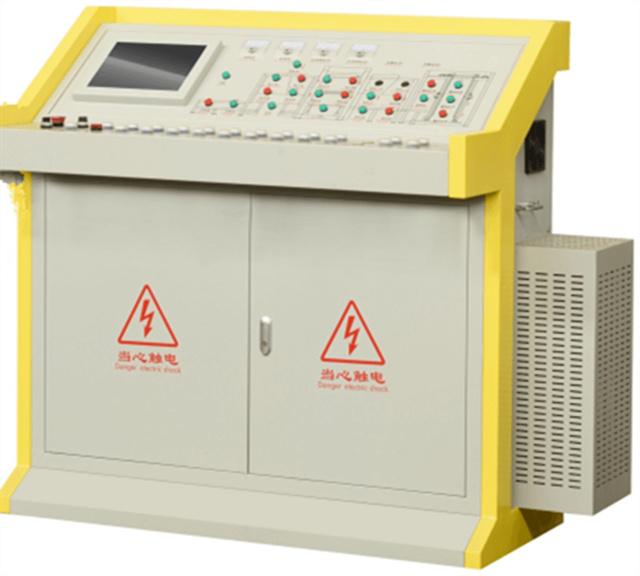
Check whether the sensor is physically aligned, whether the target plate is clean, whether cable plugs are tight, and whether the alarm repeats at the same cycle position. A sensor fault should not be solved by bypassing safety logic. Bypassing can make the brick machine run temporarily, but it can also allow mould collision, pallet misalignment, or unsafe operator exposure.
Mould jamming and demoulding resistance
Mould-related faults can appear as hydraulic alarms, demoulding stops, poor product release, or abnormal movement. The real cause may be wear, material sticking, wrong mix moisture, damaged liners, loose fasteners, misaligned guide parts, or a pallet that is no longer flat.
HAWEN Machinery designs moulds compatible with leading block machine brands including Masa, Hess, Zenith, Poyatos, Besser, Tiger, Columbia, Quadra, and Omag. These moulds follow original specifications for fit and smooth operation. Wear parts are heat-treated for better abrasion resistance, with hardness checked at HRC 59-61.
A hollow block mould, concrete block mould, or interlocking paver mould should be inspected with the product drawing and the machine movement path. If the mould is only checked visually from the outside, small wear or alignment problems may be missed.
Downstream Bottlenecks and Recovery Sequence
Downstream palletizing and yard bottlenecks
Sometimes the main forming machine is not the source of the stop. The problem may be downstream. A loaded pallet may not leave the machine, the stacker may wait for a signal, the curing area may be full, or the cuber may not complete its movement. The block making machine then stops because the next pallet cannot move forward safely.
For high-output lines, an automatic offline palletizing system should be checked as part of the whole production flow. Sensors, clamps, chains, belts, lifting movement, and product strength all affect whether finished blocks can be handled smoothly.
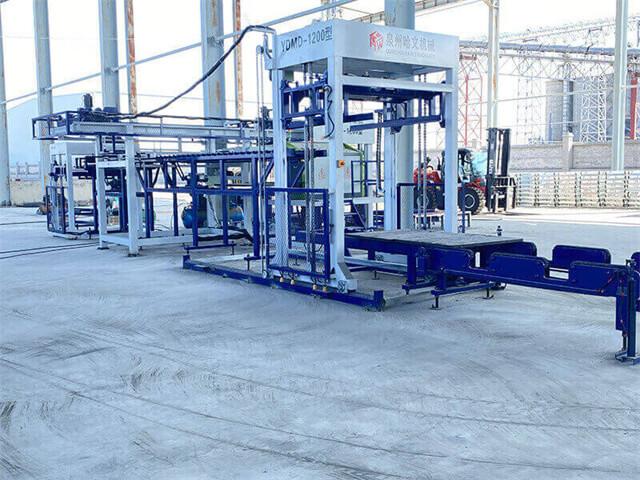
Smaller plants may use a cement paver brick production machine or a fly ash brick paver making machine with simpler handling. Even then, the curing route must be clear. A forklift delay, wet-product congestion, or shortage of clean pallets can stop production as surely as a machine alarm.
Practical troubleshooting sequence
A good troubleshooting sequence moves from visible and simple checks toward deeper technical checks. Start with the alarm display and stop position. Then check the immediate mechanical area. After that, inspect material condition, hydraulic behavior, sensor signals, vibration system, mould movement, and downstream flow.
Maintenance note: If the same alarm appears at the same point every cycle, the cause is usually repeatable. If the stop appears randomly, check loose cables, unstable material moisture, sensor distance, air pressure where used, pallet variation, and oil temperature.
| Step | Action | What it confirms |
|---|
| 1 | Read alarm and cycle position | Which section stopped the machine |
| 2 | Check pallet, product, and visible movement | Whether the fault is mechanical or handling-related |
| 3 | Inspect material moisture and aggregate size | Whether feeding or sticking caused the stop |
| 4 | Check hydraulic pressure and movement completion | Whether cylinders and valves respond correctly |
| 5 | Verify sensors and signal status | Whether the PLC receives the required signal |
| 6 | Run slowly after correction if the system allows | Whether the fault is removed before full production |
Prevention plan for stable production
The best way to reduce mid-cycle stops is to build a prevention routine. Clean sensors and guide rails. Check pallet condition. Keep aggregate size within the mould requirement. Control moisture. Inspect hydraulic oil and filters. Tighten vibration fasteners. Keep spare sensors, seals, and key wear parts ready. Record alarm history rather than relying on memory.
Machine selection also matters. A larger automatic concrete paver block machine can support high-output production when the plant layout, material system, and downstream handling are planned together. A smaller brick machine may be better for flexible local supply if the market does not require heavy automation. The correct choice is the one that matches product type, labor skill, site space, and maintenance capability.
For factories producing heavy kerbstones or dense pavers, a suitable block machine should have stable vibration, controlled hydraulic movement, clear PLC alarms, accurate mould fit, and a practical support system for pallets and curing. These details are not decorative features. They are the parts that keep production moving when daily factory conditions become difficult.
Conclusion
A concrete block machine that stops mid-cycle is sending a message. The message may come from the pallet, material, hydraulic system, vibration system, mould, PLC signal, or downstream equipment. Instead of treating every stop as a single machine failure, the factory should read the cycle position, follow the alarm, inspect the related section, and correct the cause before restarting production.
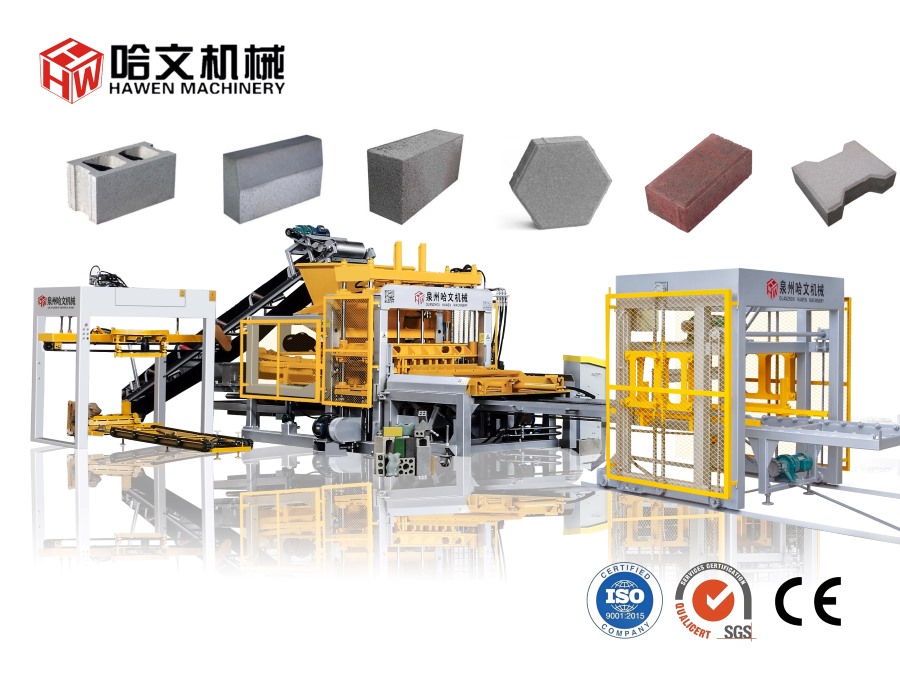
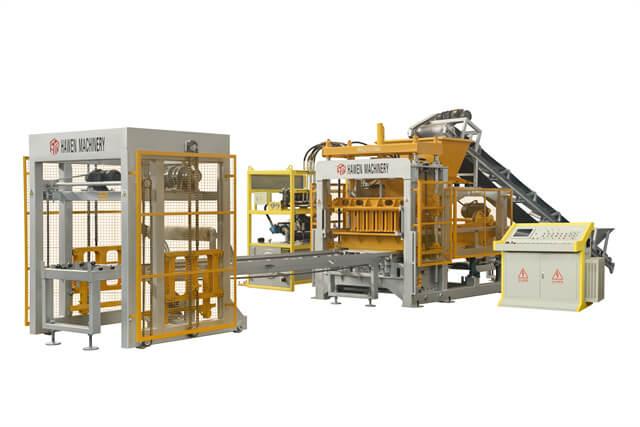
HAWEN Machinery designs block machines as complete production systems, where the main forming machine, mixer, batching section, mould, hydraulic station, vibration box, PLC control, pallet handling, and downstream automation work together. When troubleshooting follows that same system logic, downtime becomes easier to control. A stable block making machine does more than produce concrete products. It protects delivery schedules, supports project trust, and turns each cycle of pressure, vibration, and movement into the quiet reliability that roads, walls, yards, and cities are built upon.
FAQ
Why does my concrete block machine stop at the same point every cycle?
A repeated stop at the same position usually means one signal or movement is not completing. Check the alarm, sensor position, pallet location, cylinder travel, mould movement, and downstream ready signal.
Can wet material make a block machine stop?
Yes. Material that is too wet can stick to the feeding box, mould, or tamper head. It can also make demoulding harder and create hydraulic or movement-related alarms.
Should I increase hydraulic pressure when the machine stops during demoulding?
Not immediately. First check oil level, oil temperature, filters, leakage, mould resistance, pallet flatness, and product sticking. Increasing pressure without finding the cause can damage parts.
Why does the machine stop when changing from hollow blocks to pavers?
The new product may require different material moisture, feeding time, vibration setting, mould movement, and pallet support. Product changeover should include recipe and mechanical checks.
Can a faulty sensor stop the whole brick machine?
Yes. Automatic machines depend on correct signals. A dirty, loose, misaligned, or damaged sensor can prevent the PLC from allowing the next movement.
How do I know if the problem is from the main machine or the palletizing system?
Check whether the forming cycle is complete and whether the loaded pallet can leave the machine. If downstream equipment is not ready, the main machine may stop for protection.
What spare parts should I keep to reduce stoppage time?
Keep critical sensors, proximity switches, hydraulic seals, filters, belts or chains where used, vibration fasteners, common electrical parts, and key mould wear parts based on your machine model.





 Tel: +86-13905968794
 Email: export@hwmachines.com
 MP/WhatsApp: +86-13905968794
 Manufacturer Address:Nanan,Quanzhou City,Fujian Province,China